Virtual job interviews have become a standard hiring practice, offering convenience and accessibility for both candidates and employers. However, their remote nature means that preparation goes beyond the usual in-person checklist. From ensuring your technology works flawlessly to creating a professional visual environment, every detail counts. Employers often form an impression within the first few minutes, and in a virtual setting, that impression depends heavily on your setup and presentation.
If this is your first virtual interview, you may feel unsure about where to start. The good news is that with proper preparation, you can appear confident, well-organized, and technically ready. Below, we’ll guide you step-by-step on how to prepare — from testing your devices to choosing the right outfit — so that you present yourself as the ideal candidate. Follow these tips to increase your chances of making a strong and lasting impression.
Table of Contents
Test Your Technology in Advance
Before the interview, make sure your internet, webcam, and microphone are working properly. According to experts at Comexcel, a VoIP provider chosen by many top employers, a reliable connection can significantly improve the quality of your conversation.
Also, make sure the interview software (Zoom, Microsoft Teams, Google Meet, etc.) is installed, updated, and ready to use. Adjust your camera angle to maintain natural eye contact and ensure that lighting is sufficient. Remember to close unnecessary apps and mute notifications to avoid distractions.
If possible, plug into your router with an Ethernet cable instead of relying on Wi-Fi. It gives you a more stable connection and is especially helpful if you live with others who are also using the internet.
Adjust your camera to eye level so it looks like you’re making natural eye contact. Sit facing a window or use a lamp behind your screen to brighten your face.
Close all apps and mute notifications. Then have a backup plan — like your phone nearby with the interview app installed (just in case your main setup fails). Mentioning that you’re prepared with a backup (only if needed) shows you’re responsible and proactive.
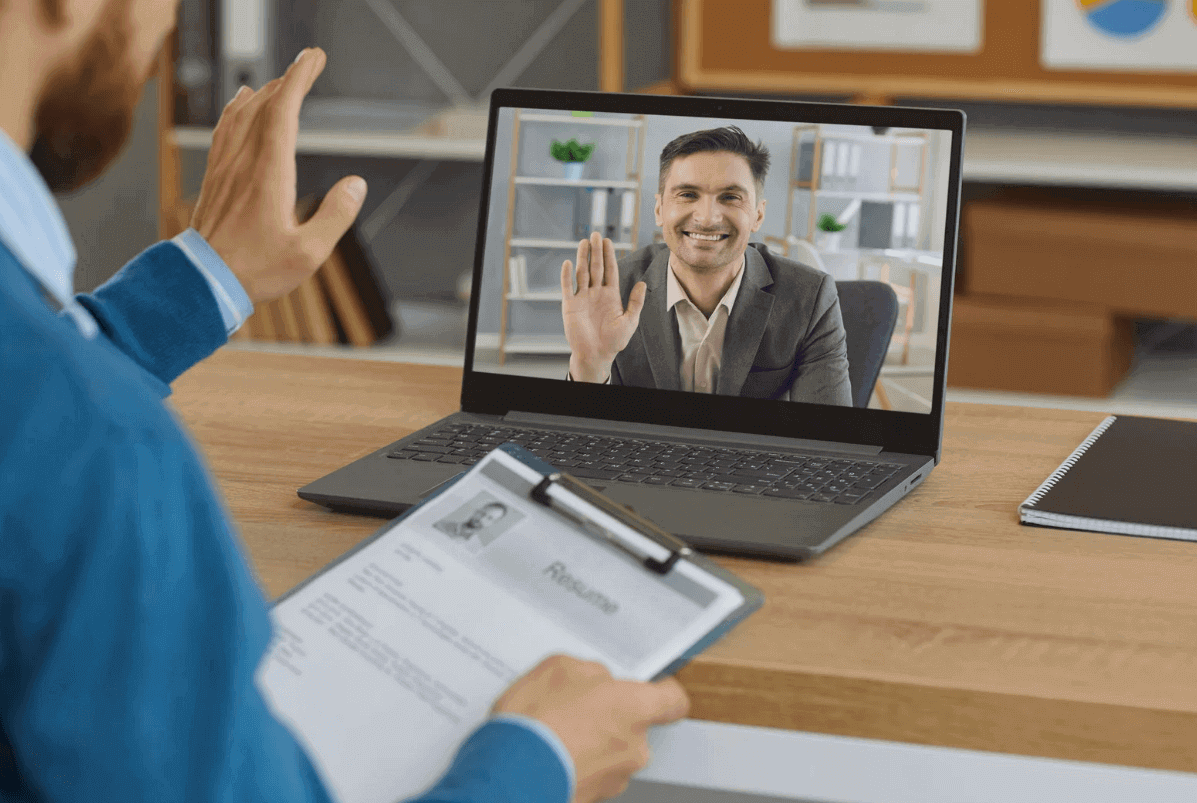
Keep a glass of water nearby in case your throat gets dry. And print out your résumé having a copy in front of you (even off-screen) can help you stay on track.
Research the Company Thoroughly
Hiring managers expect you to understand their organization’s mission, values, and industry position. Visit the company’s official website, review its recent news, and check its social media accounts. This will help you answer questions in a way that aligns with their culture and goals.
Look into the role you are applying for and identify how your skills match the job requirements. The more informed you are, the easier it will be to demonstrate genuine interest and enthusiasm.
If you know who’s interviewing you, look them up on LinkedIn. Don’t get too personal, but knowing their role and background can help you connect. You might even spot shared interests or projects you can reference.
Also, review the job description carefully. Match your skills and experience with what they’re looking for, and prepare short examples you can share during the conversation.
Choose the Right Outfit and Grooming
Dress as you would for an in-person interview — professional and appropriate for the company’s culture. Neutral colors work best on camera, as they avoid patterns that can be visually distracting. Navy, gray, or beige are generally the safest choices for most video interviews.
For women, a neat hairstyle and light, camera-friendly makeup can enhance a polished look. Men should ensure a well-groomed appearance and avoid overly casual clothing.
If you wear glasses, ensure they are clean and properly positioned to prevent glare from your lighting setup. Dressing professionally not only creates a good impression but also increases your confidence.
Do a quick video test of your outfit and grooming in the actual lighting you’ll use. This helps you catch any glare from glasses, odd shadows, or colors that look off on screen. Also, avoid wearing white if your background is light — it can wash you out.
Set Up a Professional Background
When preparing for a video interview, your background plays a crucial role in shaping the interviewer’s first impression. A clean, distraction-free backdrop helps keep the attention on you, allowing your qualifications and responses to shine. A plain wall or carefully curated space, like a neat bookshelf, communicates professionalism and focus—perfect for almost any work environment.
Your background doesn’t just speak volumes about your presentation style; it subtly reveals your organization and attention to detail. Make sure it aligns with the company’s culture: a minimal setup for traditional roles or a slightly more creative backdrop for design-focused positions.
Ensure there are no personal items, clutter, or bright patterns vying for attention. A well-executed setup lets the interviewer focus on your expertise rather than your environment.
If you live with others, use a sticky note on your door or send a calendar invite to let them know not to disturb you. Also, consider setting your chair against a wall, as it reduces the chance of someone accidentally walking behind you.
Good lighting is just as important. Face a window or use a soft desk lamp. Avoid sitting with a window or bright light behind you, which can create shadows or make your face hard to see.
Prepare Questions for the Employer
A job interview is not just about the employer evaluating you — it is also your chance to determine whether the role and company are the right fit for your goals and values. Arriving with a prepared list of questions shows that you’ve done your homework and are genuinely interested in the opportunity.
Consider asking about team structure:
- “Can you tell me more about the team I would be working with?”
- “How does this role interact with other departments?”
You could also explore growth and development opportunities:
- “What does career progression typically look like for someone in this position?”
- “Are there training or mentorship programs available?”
Company culture is another key area to address:
- “How would you describe the work environment here?”
- “What values are most important to your organization?”
These kinds of questions not only help you gather valuable information but also demonstrate curiosity, initiative, and a forward-thinking mindset. Avoid asking questions that can be easily found on the company’s website. Instead, focus on details that give you deeper insight into the role and the organization.
Bring one question that’s based on something specific from your research like a recent company initiative or blog post. It shows you’ve gone beyond the surface.

What Are the Don’ts of Virtual Interviewing?
- Don’t join at the last minute without testing your setup.
- Don’t multitask during the call — stay focused.
- Don’t speak over the interviewer; allow natural pauses.
- Don’t forget to look at the camera rather than the screen when answering questions.
- Don’t use slang or overly casual language unless it’s appropriate for the company culture.
Preparing for A Virtual Job Interview – Final Thoughts
A successful virtual interview is about more than just answering questions correctly. It’s about presenting yourself as prepared, professional, and genuinely interested in the role.
By paying attention to your background, technology, appearance, and communication, you can make a strong and lasting impression.